Purchase orders, generated and tracked in seconds
Keep supplier and product details together, create purchase orders with line totals, discount, tax and shipping, then revisit saved orders. PDF export requires Purchase Order Pro.
Core Features
Everything you need for streamlined procurement.
Supplier Management
Store supplier contacts, addresses and notes. Select the supplier when preparing an order.
Product Catalog
Define products with descriptions, unit prices, and SKU codes. Quickly add items to purchase orders from your catalog.
Order Generation & Tracking
Create orders with quantities and calculated totals. Reopen saved orders by number, supplier or date; there is no delivery-status workflow.
How It Works
From supplier setup to purchase order in three steps.
Set Up Suppliers & Products
Add your suppliers with contact information and your product catalog with prices. Do this once and reuse for every order.
Create a Purchase Order
Select a supplier, add line items from your catalog, set quantities, and the system calculates totals automatically.
Save and review
Save the order and reopen it from Order Records. Use the document preview; PDF export is a Pro feature.
Full Capabilities
Built for procurement teams and small businesses.
Auto PO Numbering
Purchase orders are automatically numbered sequentially for easy tracking and reference.
Line Item Management
Add multiple products per order with quantities, unit prices, and automatic line totals.
Saved order history
Find saved purchase orders with their number, date, supplier and total. Reopen a record to review its details.
Supplier Database
Centralized supplier records with contact persons, emails, phones, and addresses.
PDF export · Pro
Review the purchase order preview. Purchase Order Pro unlocks PDF download; send the downloaded file using your own email.
Company Settings
Set company contact information, address, logo, currency and the PO number prefix. Enter payment terms on each order.
Keep the details connected
Supplier, line items and saved order details in one workflow.
A reusable catalog
Select saved supplier and product records when creating an order.
Visible totals
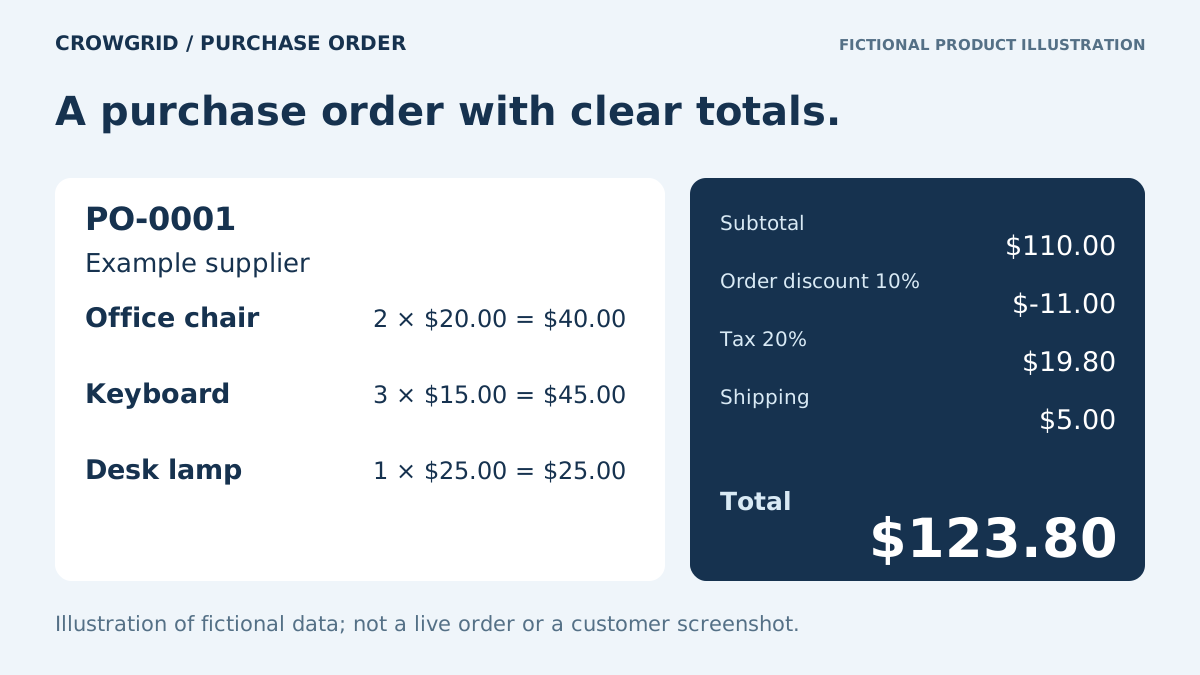
Line quantities and prices feed subtotal, discount, tax and shipping.
A record to revisit
Save the PO number, supplier and order details, then reopen the saved order.
 Crowgrid
We build focused, single-purpose tools that do one thing well. No bloat, no complexity—just clarity and simplicity.
Simple Pricing
Start free, upgrade when you need more.
Free
For individuals and small teams.
- 3 workspaces
- Per workspace: 10 purchase orders
- 20 products and 20 suppliers per workspace
- Document preview; PDF export requires Pro
Pro
For Purchase Order Generator. Other Crowgrid apps have their own limits and Pro plans.
- Unlimited workspaces and purchase orders
- Unlimited suppliers and products
- PDF export
- Annual billing: $99.50/year
Frequently Asked Questions
Common questions about Purchase Order Generator.
Start Generating Purchase Orders Today
No credit card required. Create your first PO in minutes.
Open App